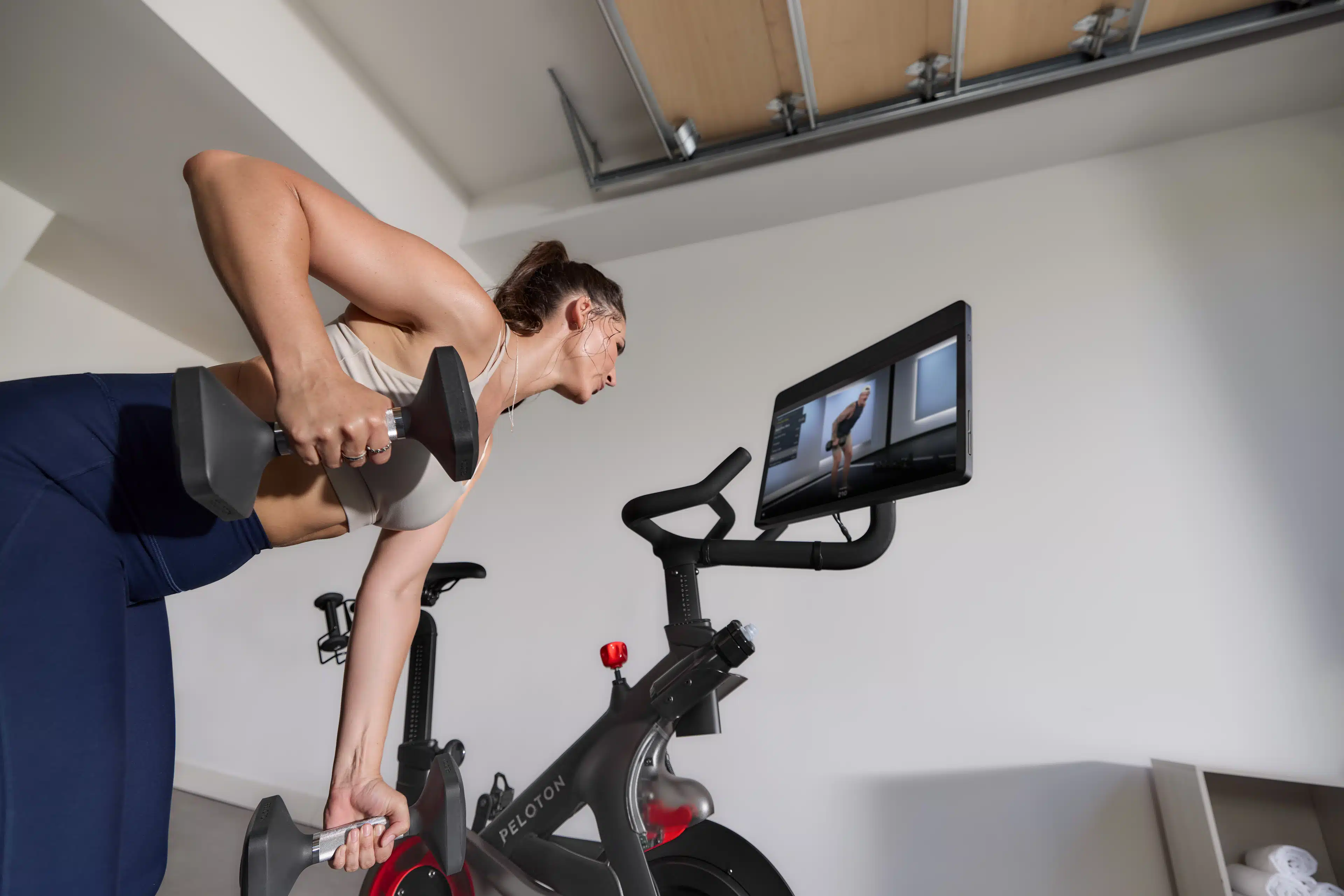
Ready to Get Serious About Strength? Here’s How the Peloton Cross Training Bike+, Tread+, and Row+ Can Help
Explore the intelligent, personalized training features that will help you master your form, level up, and track your strength progress.
By Team Peloton•
Self-Paced Instructor Workouts: Take a Workout at Your Own Speed
Workout Generator: Create a Custom Routine
Form Feedback: Get Real-Time Movement Corrections
Automatic Rep Tracking: Count Every Single Rep
Weight Rack & Suggested Weights: Choose a Weight with Confidence
Strength Benchmarking: Watch Your Progress Over Time
You’ve likely heard about the many impressive benefits of strength training, from increased functional strength and better posture to a revved metabolism and a reduced risk of injury. That said, strength training can be a bit intimidating. Just to get started, you’ll want to master proper exercise form, understand how much weight to lift, and learn how to structure your routine to guarantee enough time for recovery while still seeing results.
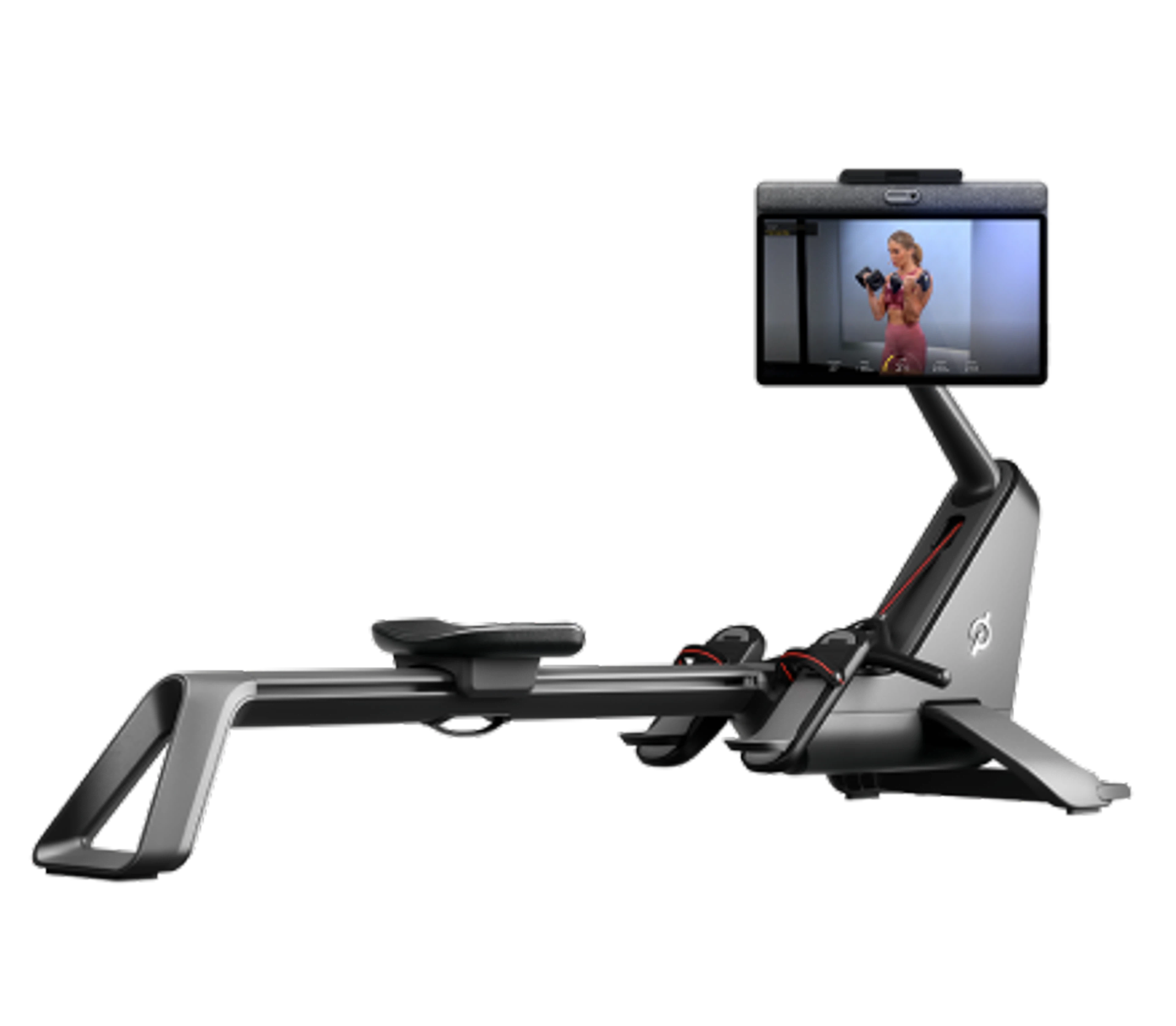
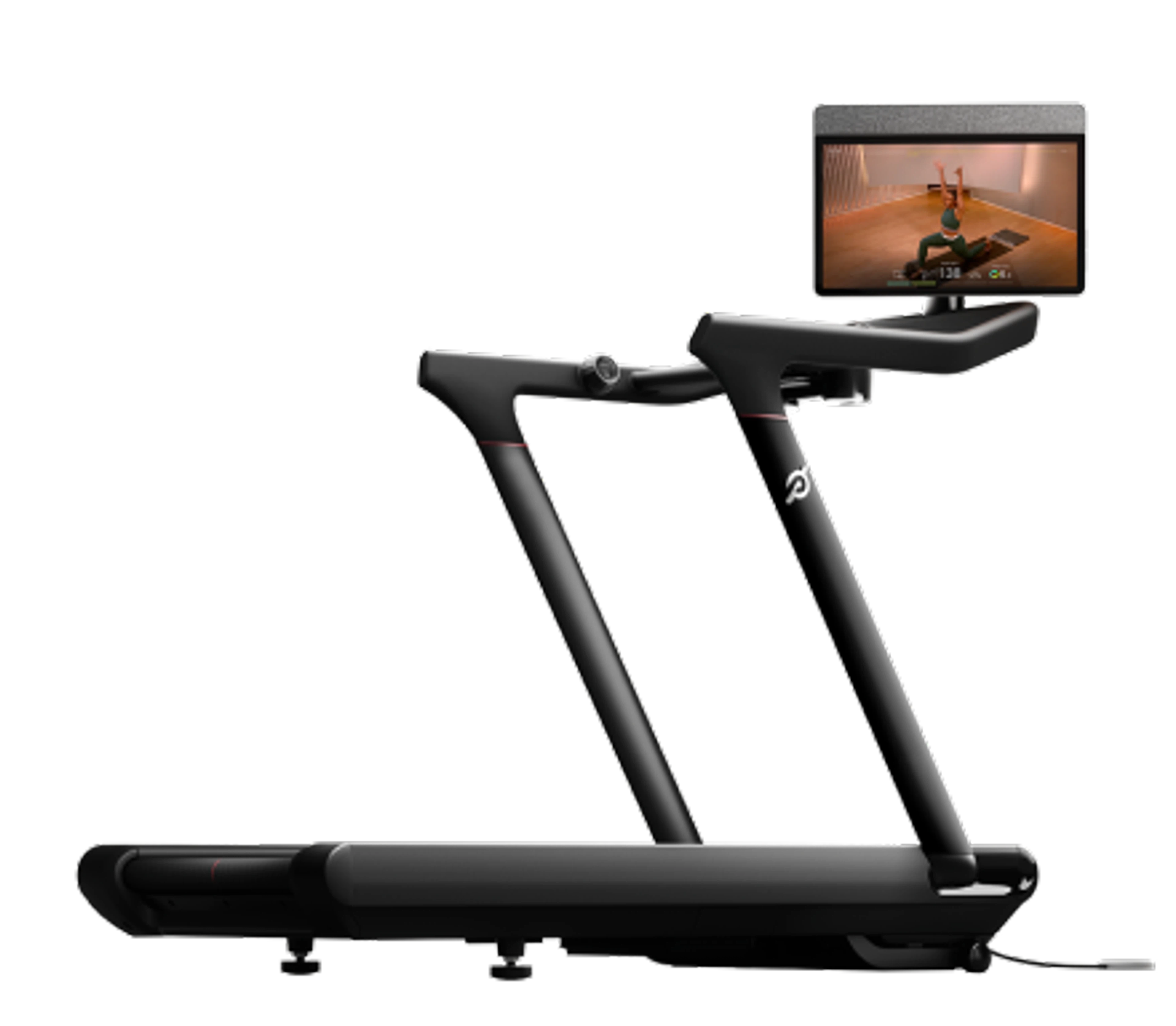
If you’ve been wanting to make strength training a priority, the good news is that the Peloton Cross Training Bike+, Tread+, and Row+ can help you make it happen—and train more intentionally to reach your goals. Each device offers a suite of smart strength training features powered by Peloton IQ that, together, will make it feel like you have one of Peloton’s top-tier strength instructors right in the room with you.
Here are six ways that the Cross Training Bike+, Tread+, and Row+ can truly transform your strength training routine, plus exactly how to take advantage of them on your device.
Self-Paced Instructor Workouts: Take a Workout at Your Own Speed
There may be moments when an instructor-led class just doesn’t fit into your schedule, whether because you’re juggling tasks, anticipate interruptions, or simply need to move at your own pace. However, even without the time to cue up an on-demand class, you may still want an instructor’s guidance on exactly how to train.
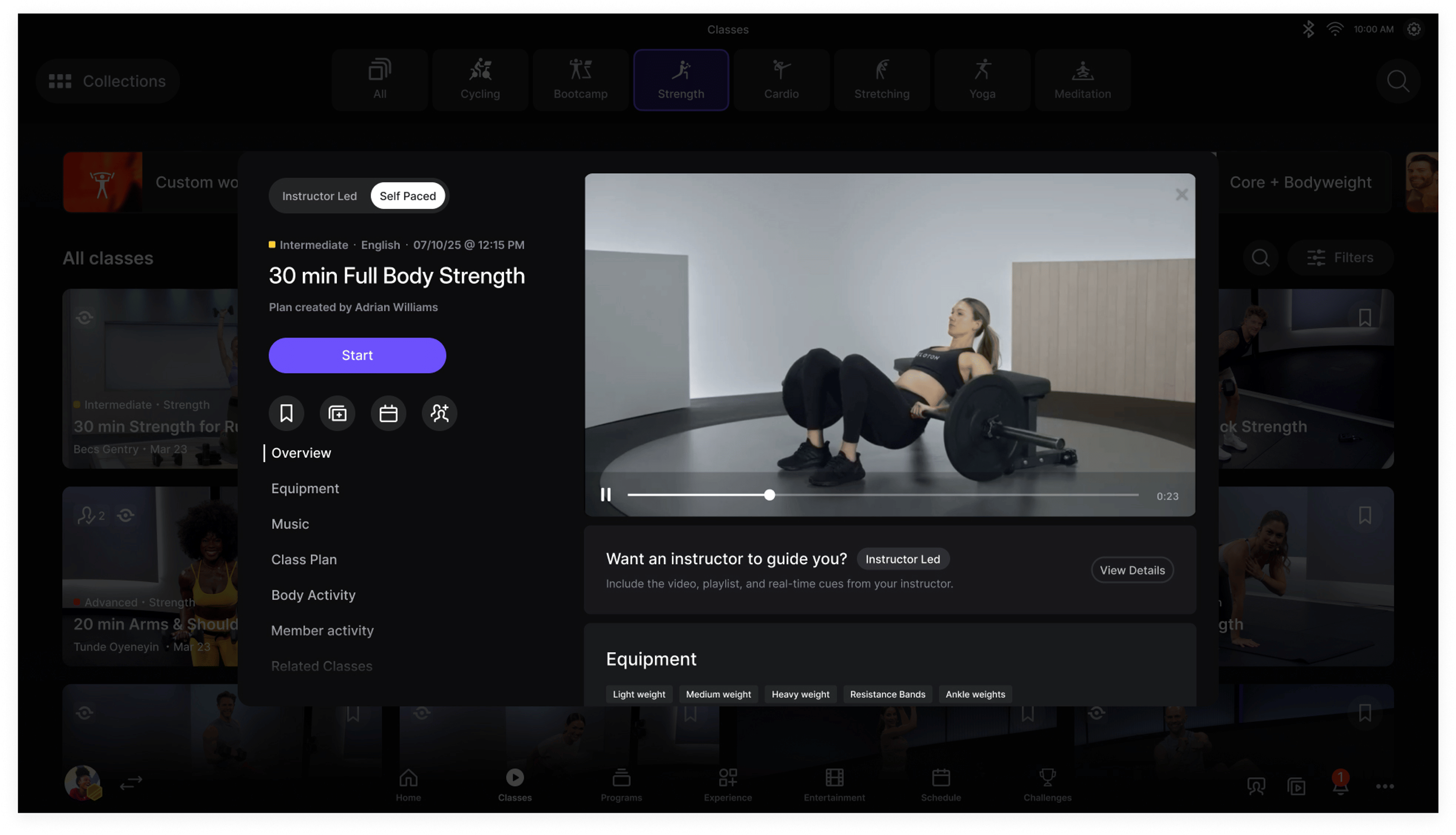
That’s the perfect time to take advantage of self-paced workouts, which allows you to take any movement-tracking-enabled instructor-led class at your own pace, so you have the flexibility to train when and how you want. You still get an expertly designed workout from your favorite instructors, but can move through it on your own time and listen to your music of choice.
During self-paced workouts, you’ll still be able to use all the other strength features powered by Peloton IQ, including movement, rep, and weight tracking, form feedback, and strength benchmarking (more on all of those below).
How to Use It:
On the Classes tab, navigate to the Strength category.
Look for classes with the self-paced icon (a clock with a play button), then shift the toggle from “Instructor Led” to “Self Paced.”
You can also find self-paced workouts on your device’s Home screen.
Workout Generator: Create a Custom Routine
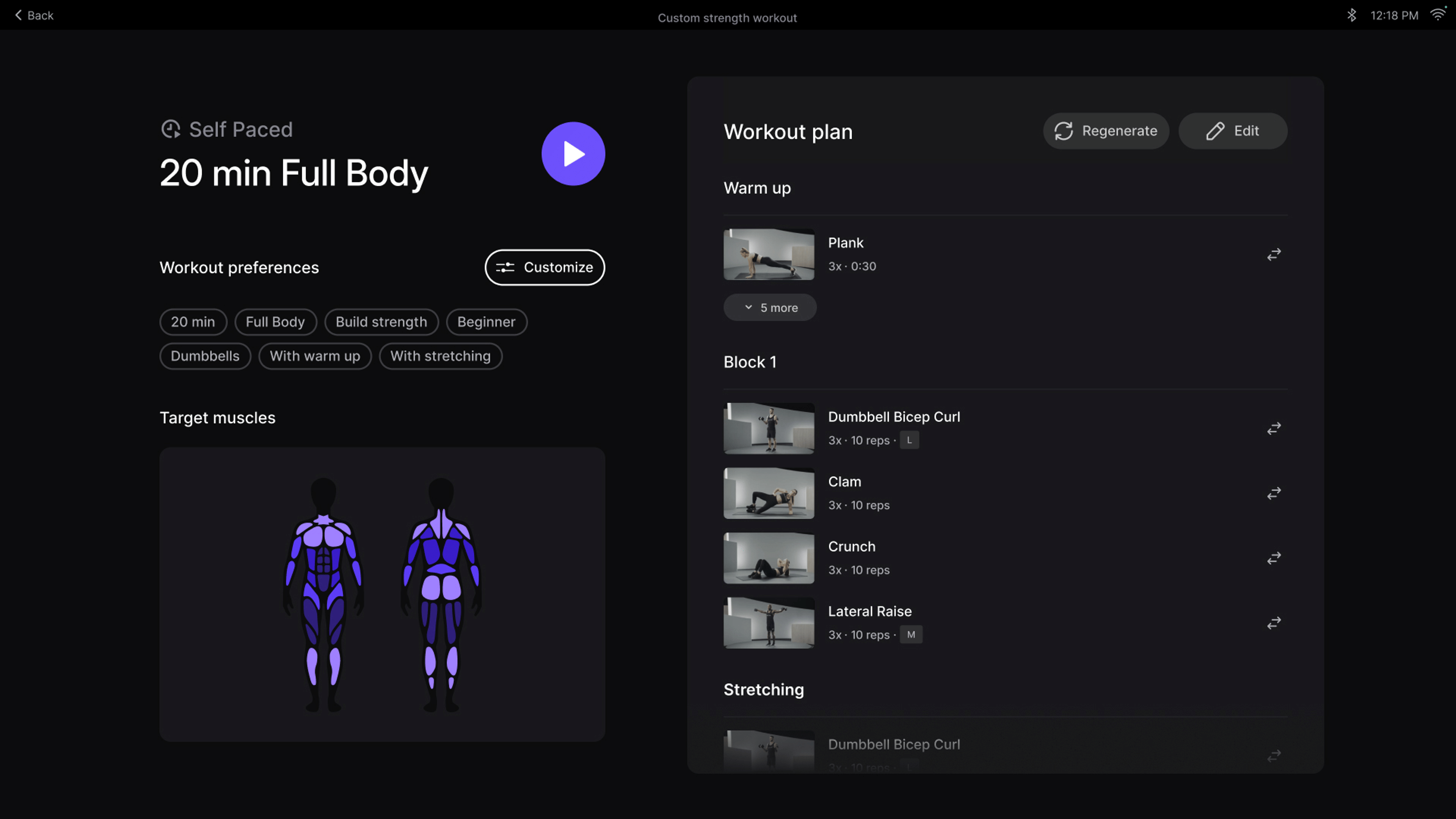
Whether you already know what’s on deck for today’s strength workout, or you’re craving something more customized, you can create the perfect routine to fit your needs in seconds using the Workout Generator. Set your preferences (muscle focus, goal, total time, available equipment, experience level, and whether or not you’d like to include a warm-up and/or cooldown stretch), then watch as Peloton IQ builds an optimal routine for you to do as a self-paced workout. Want to make it your own? You can make edits like adding, swapping, or eliminating exercises, and changing sets or reps.
This way, you can get your strength workouts done while being coached in real time by Peloton IQ, and ensure all your training counts towards any Peloton challenges, milestones, and coveted workout streaks.
How to Use It:
Tap on the Experiences tab on the bottom of your device’s Home screen, then tap Custom Workout.
Set your preferences for muscle focus, goal, total time, equipment, experience level, and whether you want a warm-up and/or cooldown.
Review the routine Peloton IQ creates for you, then edit any moves, sets, or reps to make it your own.
Start the workout and follow it at your own pace.
Form Feedback: Get Real-Time Movement Corrections
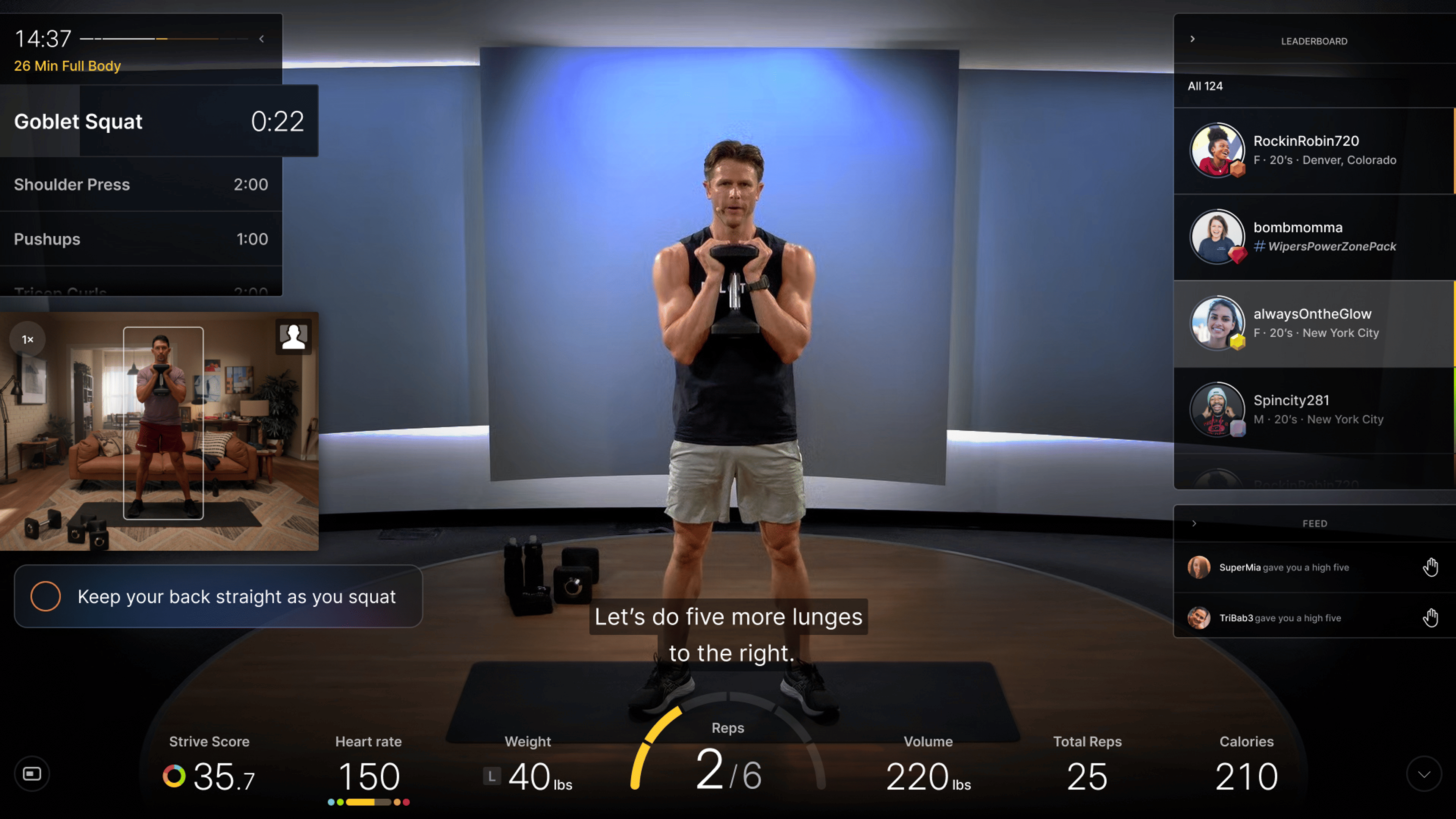
Ever wish a Peloton instructor could look through the screen and tell you if your deadlifting form looks good? The Form Feedback feature on the Peloton Cross Training Bike+, Tread+, and Row+ gets close. Using the front-facing Movement-Tracking Camera, Peloton IQ can keep an eye on your form while you’re strength training, and provide real-time form feedback via visual and audio cues to help you engage the right muscles and avoid injury. For example, Peloton IQ may coach you to go deeper in your squat, keep your spine in neutral alignment during a deadlift, or lower the weights more slowly during a biceps curl. You can also see yourself on-screen to monitor how you’re moving, similar to how you might watch yourself in the gym mirror.
Form Feedback is available during any of the thousands of movement tracking-enabled instructor-led strength workouts (including some live classes), as well as all self-paced strength workouts.
How to Use It:
First, make sure your camera is open by rotating the camera module downward above your screen, and by going to Profile Settings, Preferences, and turning on "Display Form Feedback."
On the Classes tab, navigate to the Strength category, and then look for classes with the movement tracking icon or filter for movement tracking in the filter side bar.
You’ll find Live movement-tracking strength classes on the Schedule page on your Peloton device (but not on the app or desktop at this time).
To learn more about movement tracking at any time, you can also click the movement tracking icon to see a selection of movement-tracking-enabled classes and watch a video on how it works.
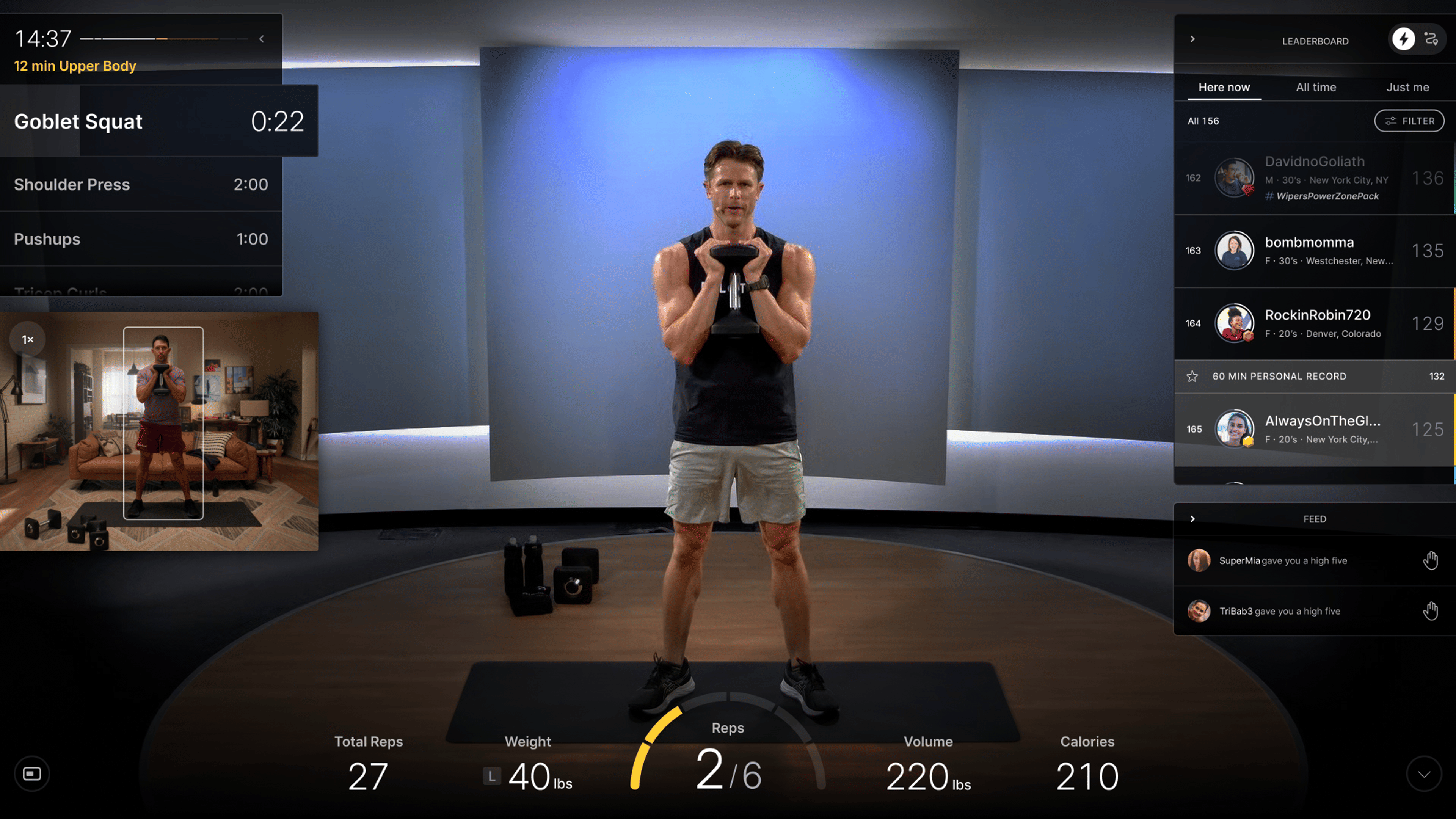
Automatic Rep Tracking: Count Every Single Rep
Never again lose count of your reps. Using the Movement-Tracking Camera, Peloton IQ will automatically keep count of every rep, whether you’re powering through a dumbbell snatch EMOM or moving slowly through a heavy set of chest presses. Not only does this keep you accountable to finish every set, but it’ll also allow you to focus on your form and effort rather than maintaining a mental tally. In addition to tracking your reps, you can also track the weights used for each exercise in a strength class, so you know where to pick back up next time or when it’s time to go heavier—but more on that next.
How to Use It:
First, make sure your camera is open by rotating the camera module downward above your screen, and by going to Profile Settings, Preferences, and turning on "Track your reps and time during movement."
Peloton IQ will automatically track your reps during any Movement-Tracking enabled strength workout (both instructor-led and self-paced), and display the number on the bottom center of your screen.
If you need to correct or make changes to the number of reps counted, you’ll have an option to edit them for 15 seconds after your workout is done.
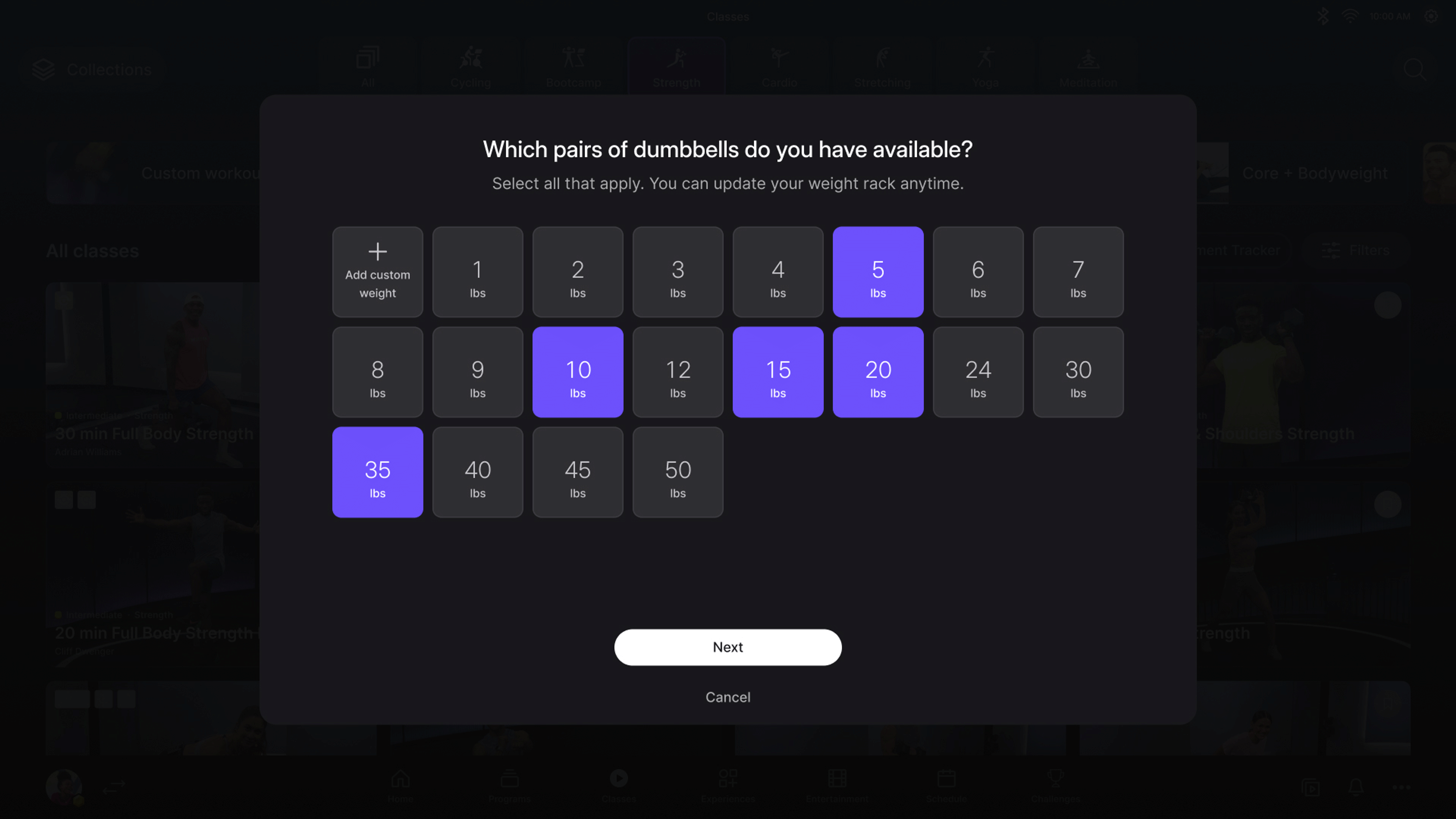
Weight Rack & Suggested Weights: Choose a Weight with Confidence
Peloton IQ can help you choose the right weight to lift for every exercise and prompt you when it’s time to upgrade, helping you to challenge yourself appropriately, so you get the most out of every workout while prioritizing quality movement and staying safe.
By telling Peloton IQ which weights you have available and logging your preferred choices for different exercises, it can offer personalized recommendations for how heavy a weight to grab for each move in a self-paced workout or instructor-led class. Since Peloton IQ is also keeping an eye on your form and reps, it’ll also factor your performance into its recommendations; if your form is lacking, it might suggest going lighter to help prevent injury, whereas if you’re exceeding the rep count, it’ll nudge you to level up.
How to Use It:
When you take your first strength workout, you’ll be prompted to “build” your virtual weight rack by selecting all the weights you have available to you, and assign them categories (light, medium, heavy).
At any time, you can adjust your weights by going to Profile Settings and tapping Weight Rack.
On the pre-start screen before every strength class, you’ll be able to manually update the weights you’d like to use for each exercise in that class.
During your workout, make live edits to the weights you’re using by tapping the weight tracker at the bottom of your screen or using Hands-Free Control (which you can find and enable in Profile Settings).
To accept Peloton’s suggested weight changes, tap or say “Accept” during your workout.
If you need to make changes to the amount of weight used during a workout, you’ll have an option to edit them for 15 seconds after your workout is done.
Strength Benchmarking: Watch Your Progress Over Time
You know that rush of satisfaction you get when you finish a Peloton ride, run, or row and set a new personal best Output? Now, with Peloton IQ tracking your reps and weight during a strength workout, you can get similar stats that quantify exactly how hard you worked: total reps, volume (how many pounds you lifted over the whole workout), and targets hit (the percentage of working time or reps you successfully completed during class).
Repeat the same workout (such as one of the Strength Benchmark classes) regularly and you’ll be able to see exactly how you’re progressing from week to week and month to month.
How to Use It:
First, make sure your camera is open by rotating the camera module downward above your screen, and by going to Profile Settings, Preferences, and turning on "Track your reps and time during movement."
To see charts showing your progress over time (showing Targets Hit, Total Volume, and Total Reps), look in workout history after taking any movement tracking class or look in class details and the "History" tab to see your progress over time. You can also see your previous metrics when repeating any previous movement tracker class or class plan.
If you don’t yet have a Peloton Cross Training Bike+, Tread+, or Row+, but want to give these smart strength features a try, visit your local Peloton store or retail location.


This content is for informational and educational purposes only and does not constitute individualized advice. It is not intended to replace professional medical evaluation, diagnosis, or treatment. Seek the advice of your physician for questions you may have regarding your health or a medical condition. If you are having a medical emergency, call your physician or 911 immediately.
Our Products
Level up your inbox.
Subscribe for a weekly dose of fitness, plus the latest promos, launches, and events.
By providing your email address, you agree to receive marketing communications from Peloton.
For more about how we use your information, see our Privacy Policy.